Keep the project present
The workspace, conversations, and active task stay together without moving context between tools.
General AI tools solve common problems. YourBuddy brings your preferred models, Skills, Plugins, files, and professional workflows into one desktop workbench that grows around the way you work.
Latest release · macOS · Apple Silicon Download latest
Your project, task breakdown, and agent execution history stay in one workbench. You see more than an answer: you see the work moving forward.
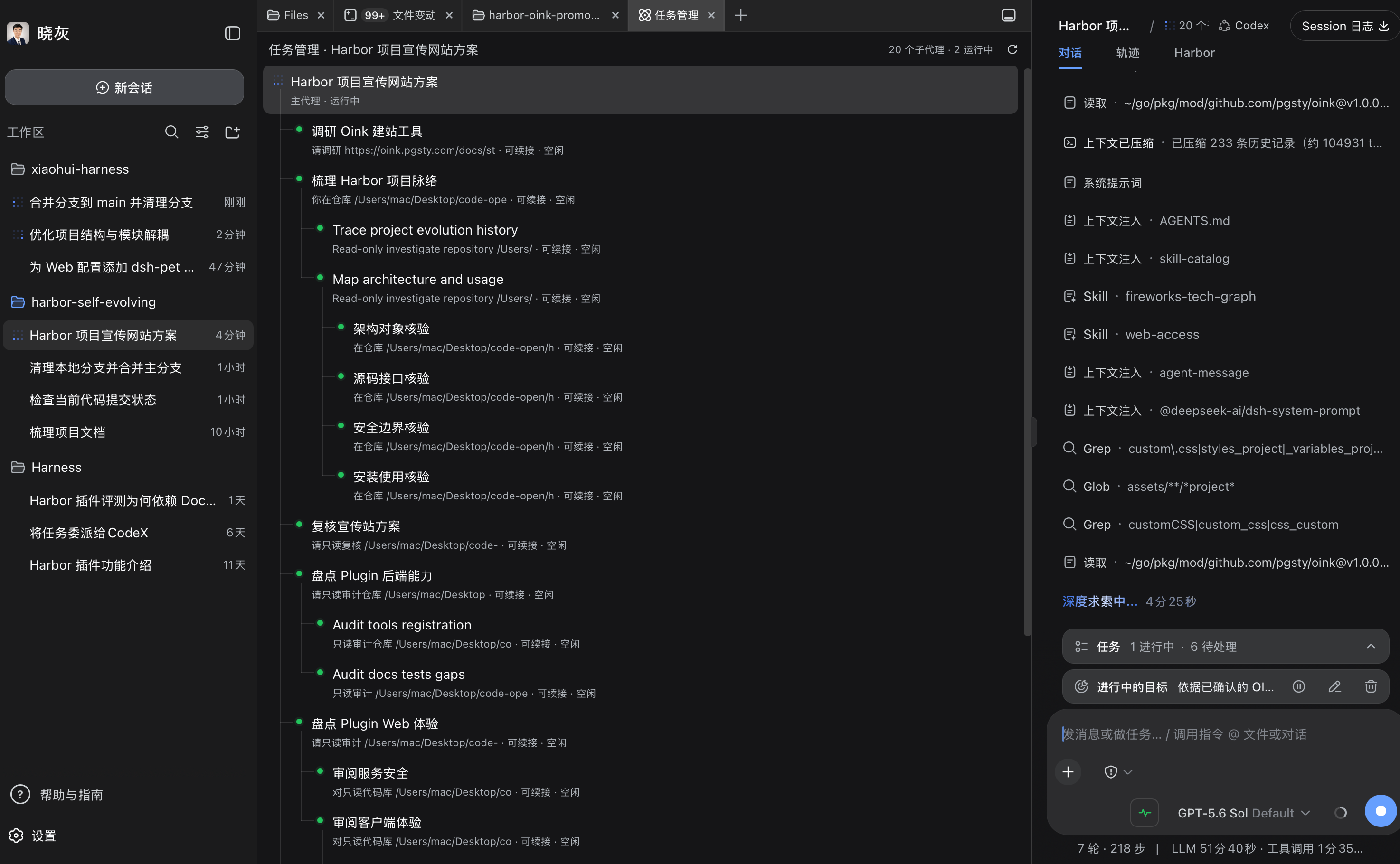
The workspace, conversations, and active task stay together without moving context between tools.
Task management shows the steps, running state, and pending queue.
Move between conversation, trajectory, and plugin views to inspect agent calls and results.
Use Skills to retain repeatable workflows, standards, and judgment.
Use Plugins to add the tools, services, and interfaces your work requires.
Use files, the editor, terminal, Git, and plugin pages beside the conversation, and inspect the actual result at any time.
Skills teach the workbench your workflows. Plugins add tools, services, and workbench interfaces. YourBuddy provides a useful foundation that each person can extend around their profession and habits.
Read about the included pluginsConnect an existing account for models, search, and image capabilities with less repeated setup.
Use files, the editor, terminal, Git, previews, and plugin pages in the primary workbench beside the conversation.
Inspect context usage, duplicate content, and shadowed skills to help diagnose session issues.
Organize scripts, recordings, subtitles, covers, articles, and publication material around ordinary local project folders.
Explore available extensions and their sources before adding the tools you need.
An independent project developed by the Y8 maintainer for evidence-based diagnosis and controlled evaluation.
Turn repeatable workflows and standards into Skills. Turn professional tools, services, and interfaces into Plugins. Start the next job with what you have already built.