Evaluate recent Sessions
Historical evaluation is the cold start when you have real Agent interactions but no curated Dataset. It is diagnostic, not promotion evidence.
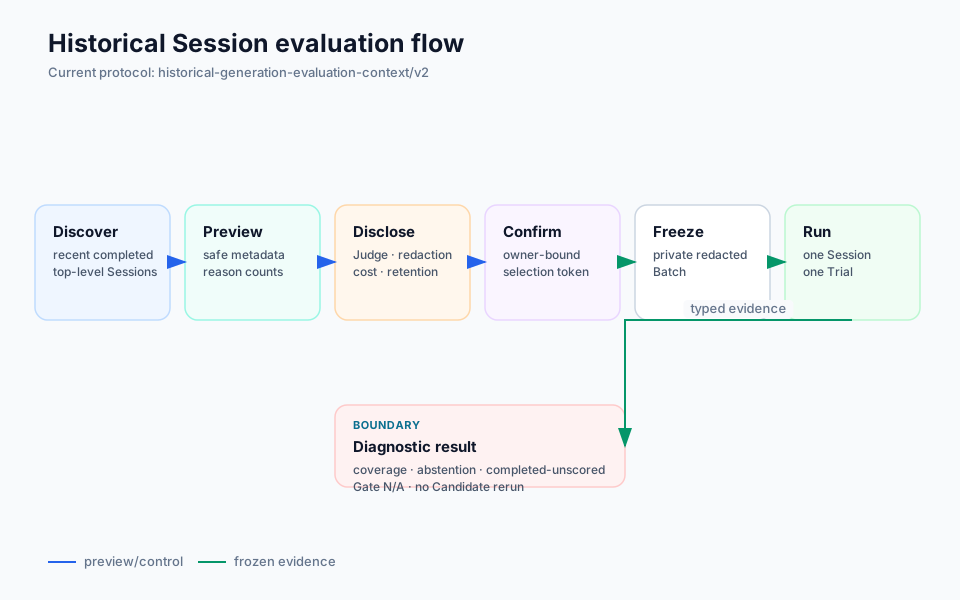
Web path
- Open Historical Sessions in the DSH Harbor page.
- Preview up to three recently completed top-level Sessions visible to the current DSH workspace.
- Review the frozen Judge identity, projected evidence fields, redaction policy and cost/data disclosure.
- Select Sessions and confirm.
- The Plugin writes a private redacted Batch, materializes one Harbor Trial per Session and starts a non-promotion Historical Job.
The Agent-tool path can preview up to ten Sessions, but only from the exact current working directory. Preview returns safe metadata and a short-lived owner-bound selection token—not raw Session ids or transcripts.
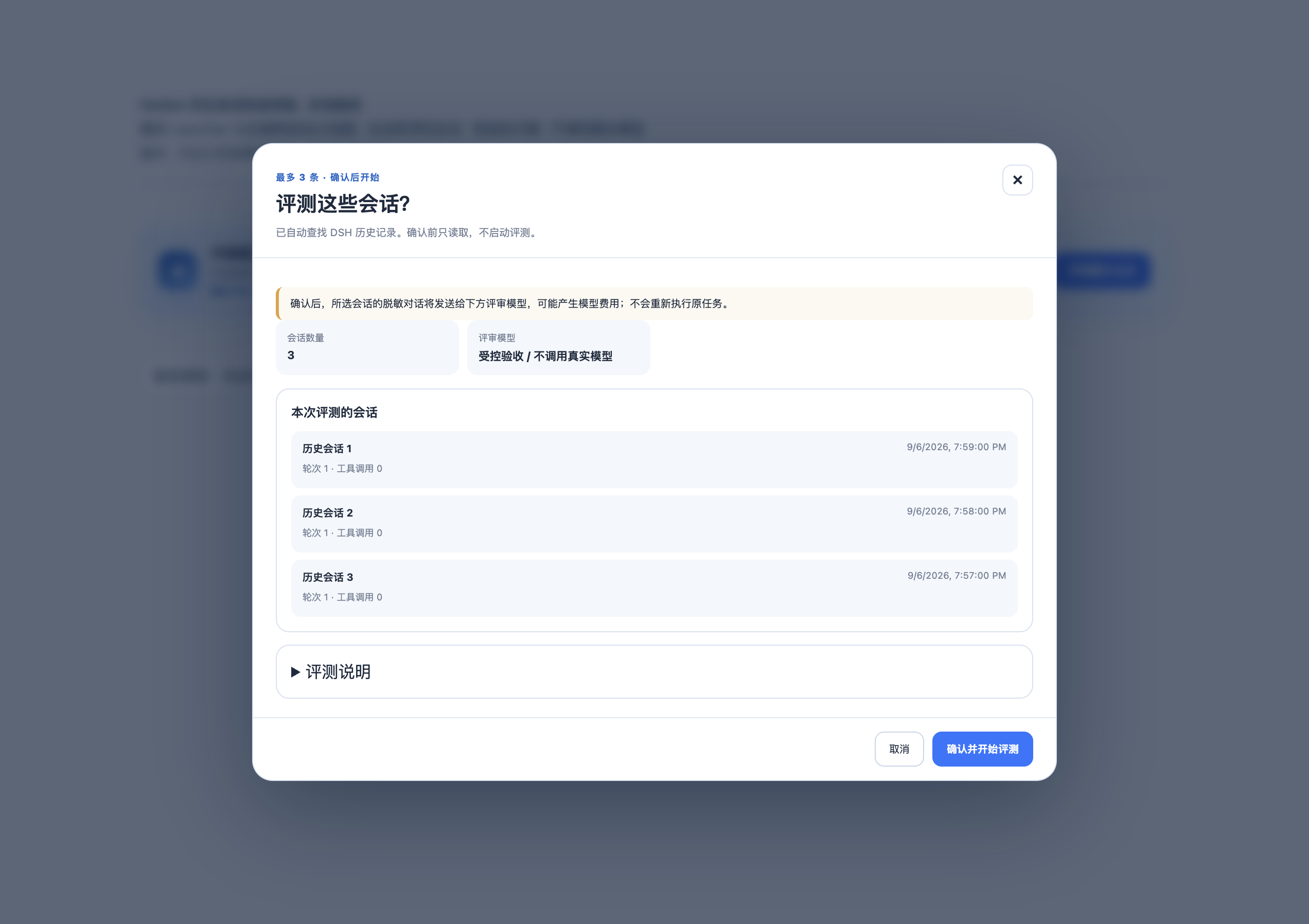
What reaches the Judge
Bounded, projected and credential-shaped-redacted evidence can be sent to the selected Judge model. Raw Session ids, full tool payloads, reasoning and attachments are not directly used as Judge input. Private Batch and Job artifacts remain local and may contain business evidence or ordinary absolute paths.
Do not describe this as “data never leaves the machine.”
How to read the result
- one selected Session becomes one Trial;
- criteria can be valid, invalid or abstained;
- coverage and reason codes matter alongside scores;
completed-unscoredis a meaningful outcome, not success;- Candidate rerun, comparable baseline and Gate are not applicable to this path.
Use repeated failures to curate a Dataset, then move to the Candidate pipeline.
Recovery boundary
Historical Web operation state and locks are process-local today. A Host restart can lose reattachment even when artifacts remain on disk. This differs from durable @harbor snapshots and from other operation journals; recovery guarantees must be stated per operation.